Feature 1
Define the authorised scope
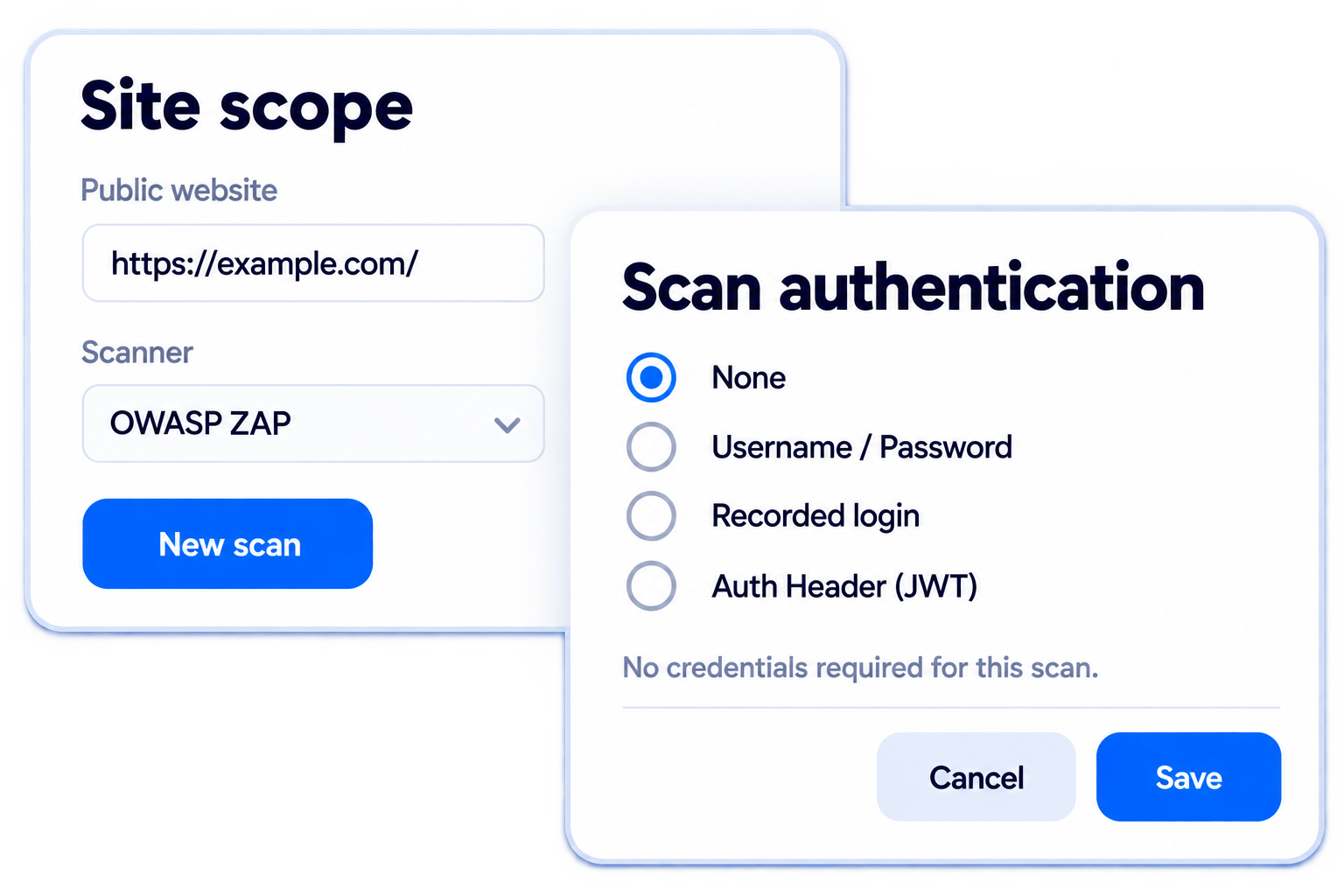
Maintain the sites that may be assessed and configure the access needed for the selected scan method.
- Add and authorise scan sites
- Configure supported authentication
- Keep scope visible to administrators

Product
Authorise sites, run security scans and manage the findings through to practical remediation.
Included capabilities
The outcome
Move from technical scan output to clear priorities, accountable work and evidence of improvement.
How it helps
This product connects with the wider Apollo platform, so information can support action, evidence and reporting without being entered again.
Feature 1
Maintain the sites that may be assessed and configure the access needed for the selected scan method.
Feature 2
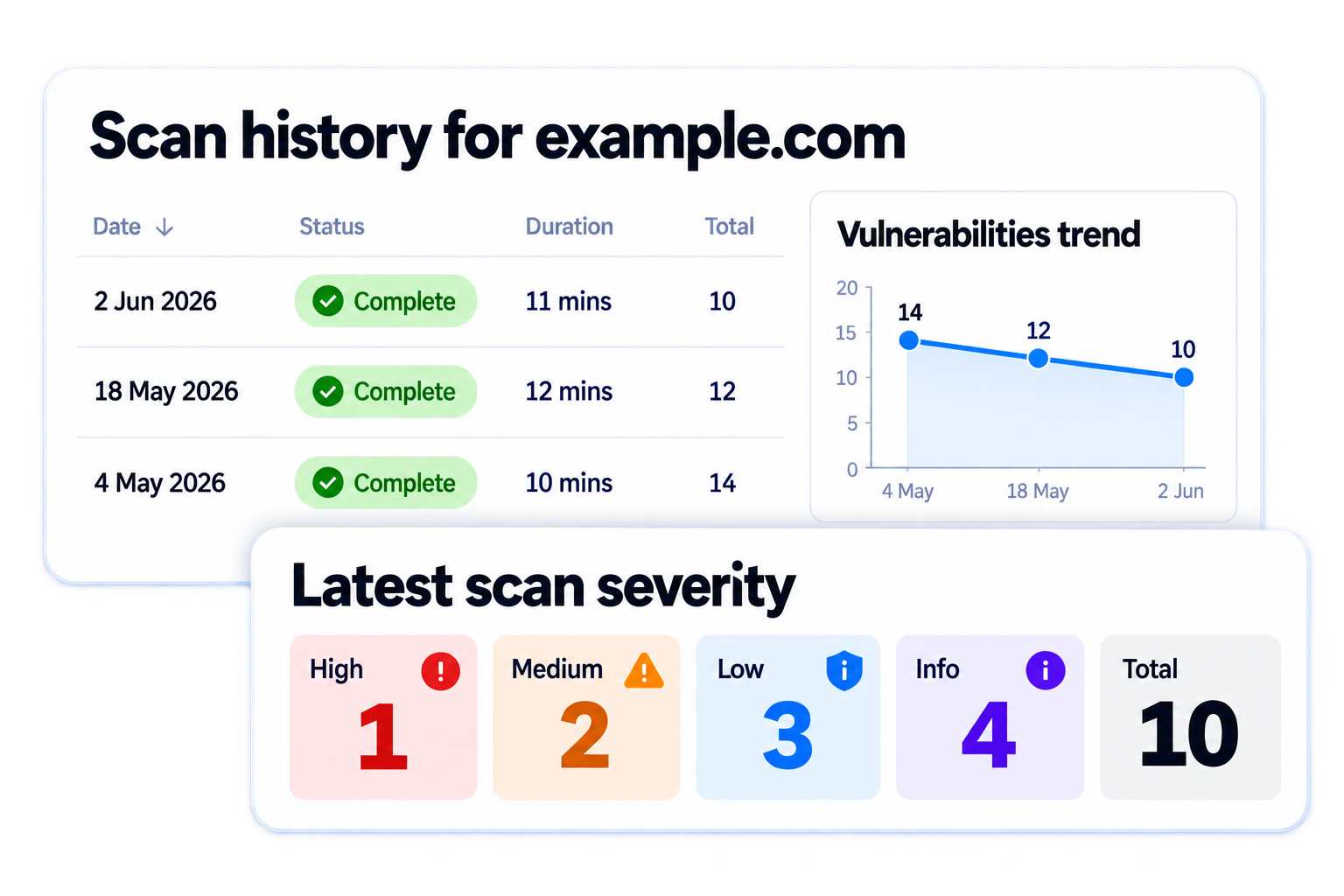
Start a scan when needed or schedule recurring checks so newly introduced issues are easier to identify.

Feature 3
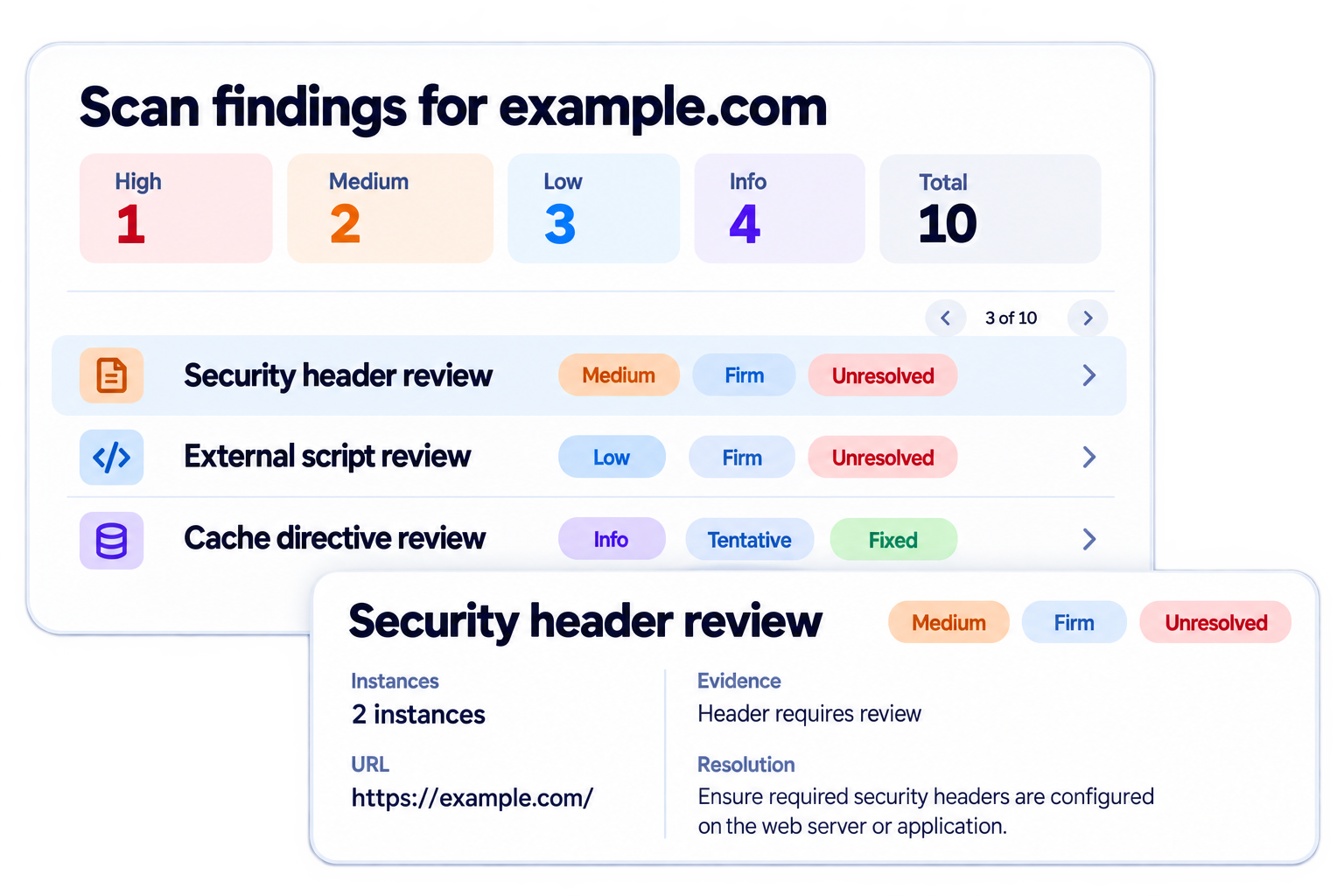
Review what was discovered, focus on meaningful exposure and track remediation alongside other security priorities.

What is included
Use the product you need now while keeping its records, work and evidence ready for related products across Apollo.
Included features
Connected platform
See the related products and solutions that use the same connected information.
Product
Use risk management software to maintain connected registers for risks, controls, assets and suppliers, so decisions are based on current information rather than separate spreadsheets.
Explore productProduct
Publish approved security, privacy and compliance information through a branded customer-facing site.
Explore productCustomer proof
See how customers use this product as part of a broader security, governance or compliance outcome.
Capabilities in this product
Explore the workflows and detailed features behind each capability. Shared capabilities may also support other Apollo products.
Define authorised sites, configure scan access and run on-demand or scheduled security scans.
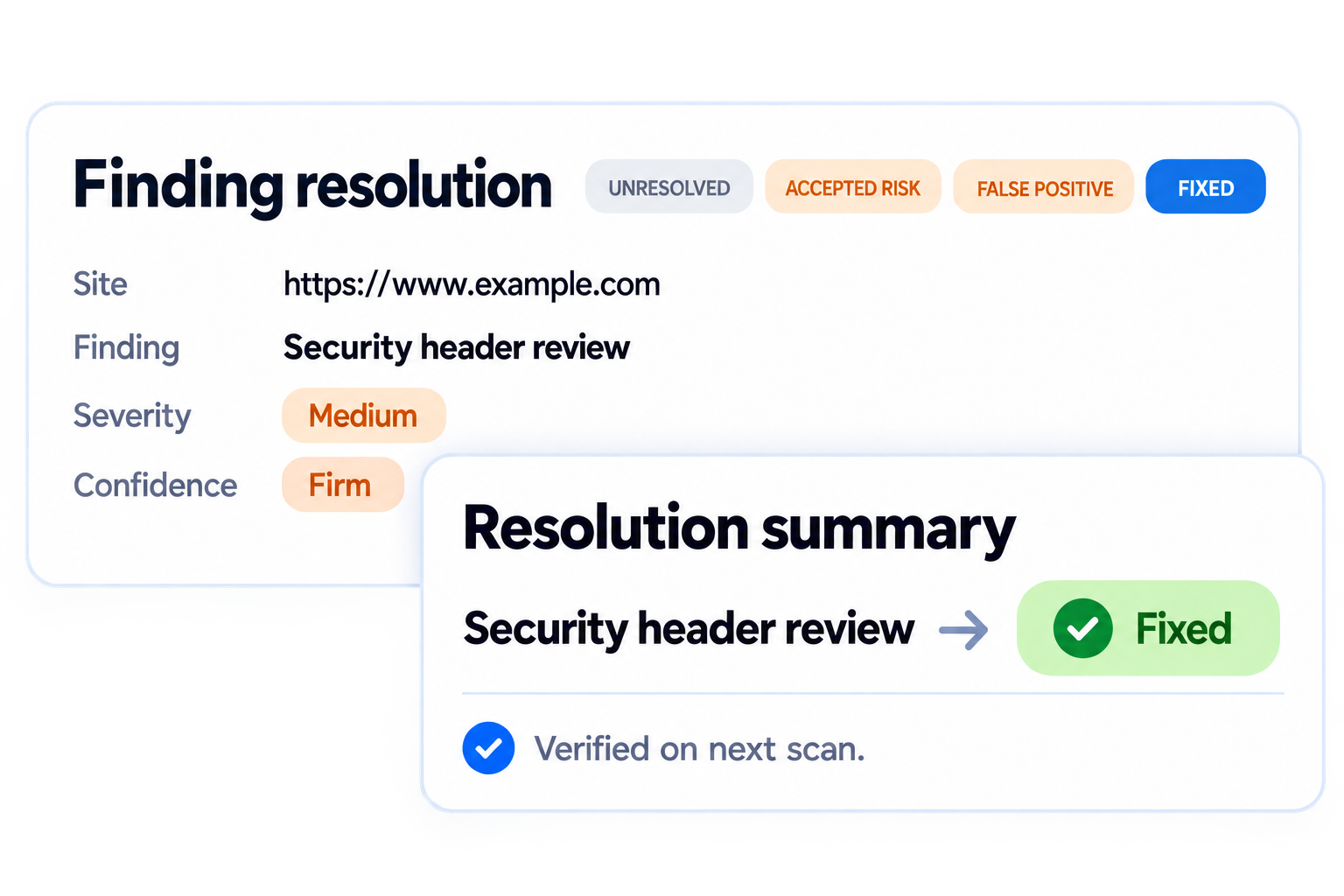
Explore capabilityReview vulnerability evidence, understand severity and confidence, and record the resolution of each finding.
Explore capabilityAssign, prioritise and track responsibilities across all aspects of your GRC program.
Explore capabilityTurn current records into clear progress views for teams, executives and boards.
Explore capabilityQuestions and answers
Practical answers to common questions about managing this responsibility well.
Authorise sites, run security scans and manage the findings through to practical remediation. Move from technical scan output to clear priorities, accountable work and evidence of improvement.
It should cover Site inventory, Scheduled scanning, Authenticated scanning, Finding prioritisation and Remediation tracking, with clear ownership, review and evidence rather than disconnected activity.
Ownership should sit with the person who can make decisions, allocate resources and keep the work current. A governance or specialist team may coordinate the process, but material records and actions need named accountable owners.
Use scheduled reviews based on risk and trigger an earlier reassessment after relevant incidents, regulatory change, audit findings or material changes to systems, suppliers or operating conditions.
Retain the source information, owner, review and approval history, supporting documents and actions needed to explain what was known, what was decided and what happened next. Relevant records include site scanning, scan findings, task management and dashboards & reporting.
Book a focused demonstration and we will show how the product fits your current responsibilities, existing information and next practical priorities.