Product

Forms and Workflows

Create guided forms and turn submissions into clear, repeatable workflows. Route requests, reviews and reports through assigned tasks, decisions and outcomes, with the information your team needs at each step.

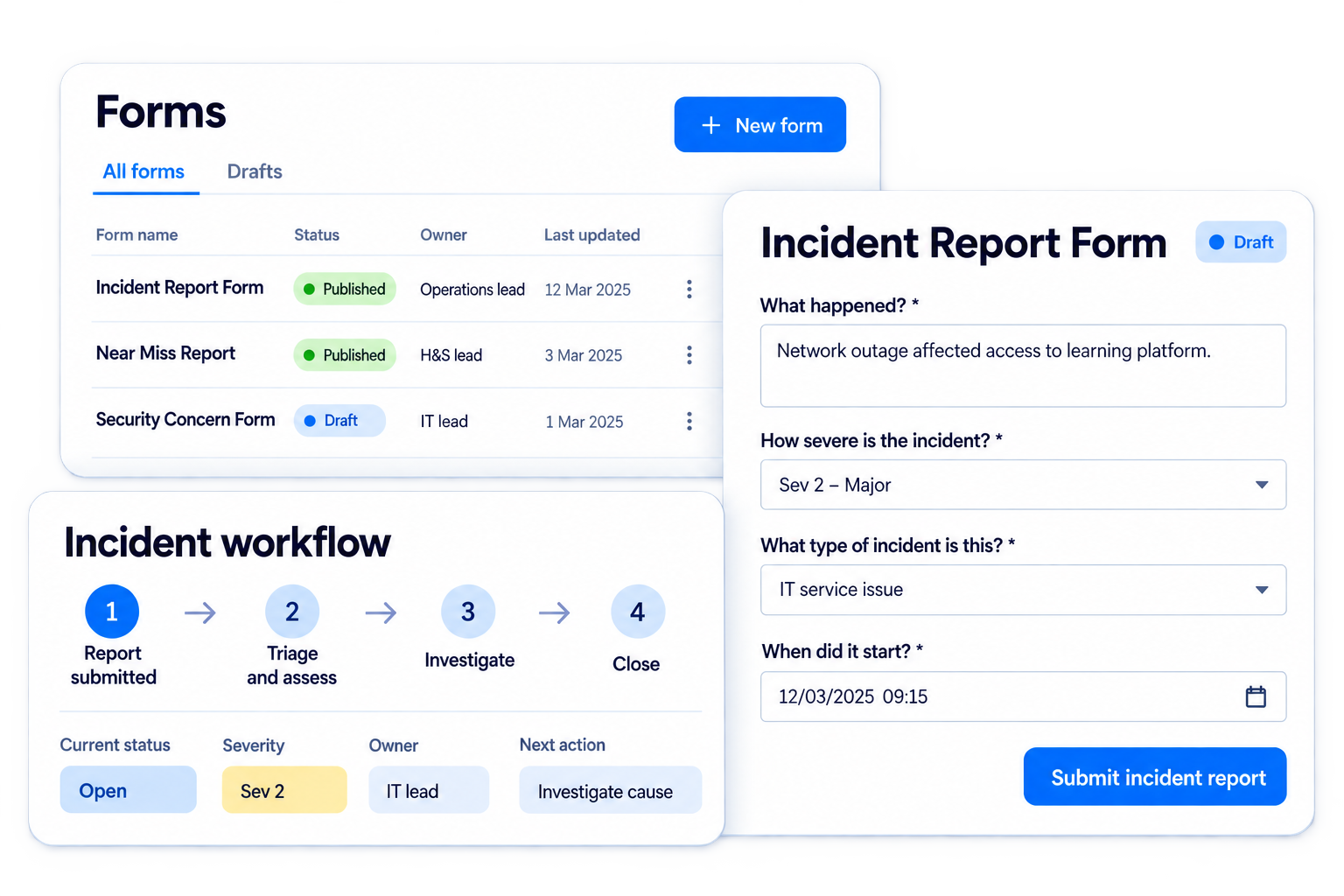
Simplified illustrative forms workflow with fictional sample data

The outcome

Move from a submission to a completed process with clear ownership and a connected record of what was provided, what was decided and what needs to happen next.

How it helps

From form submission to workflow outcome

This product connects with the wider Apollo platform, so information can support action, evidence and reporting without being entered again.

Feature 1

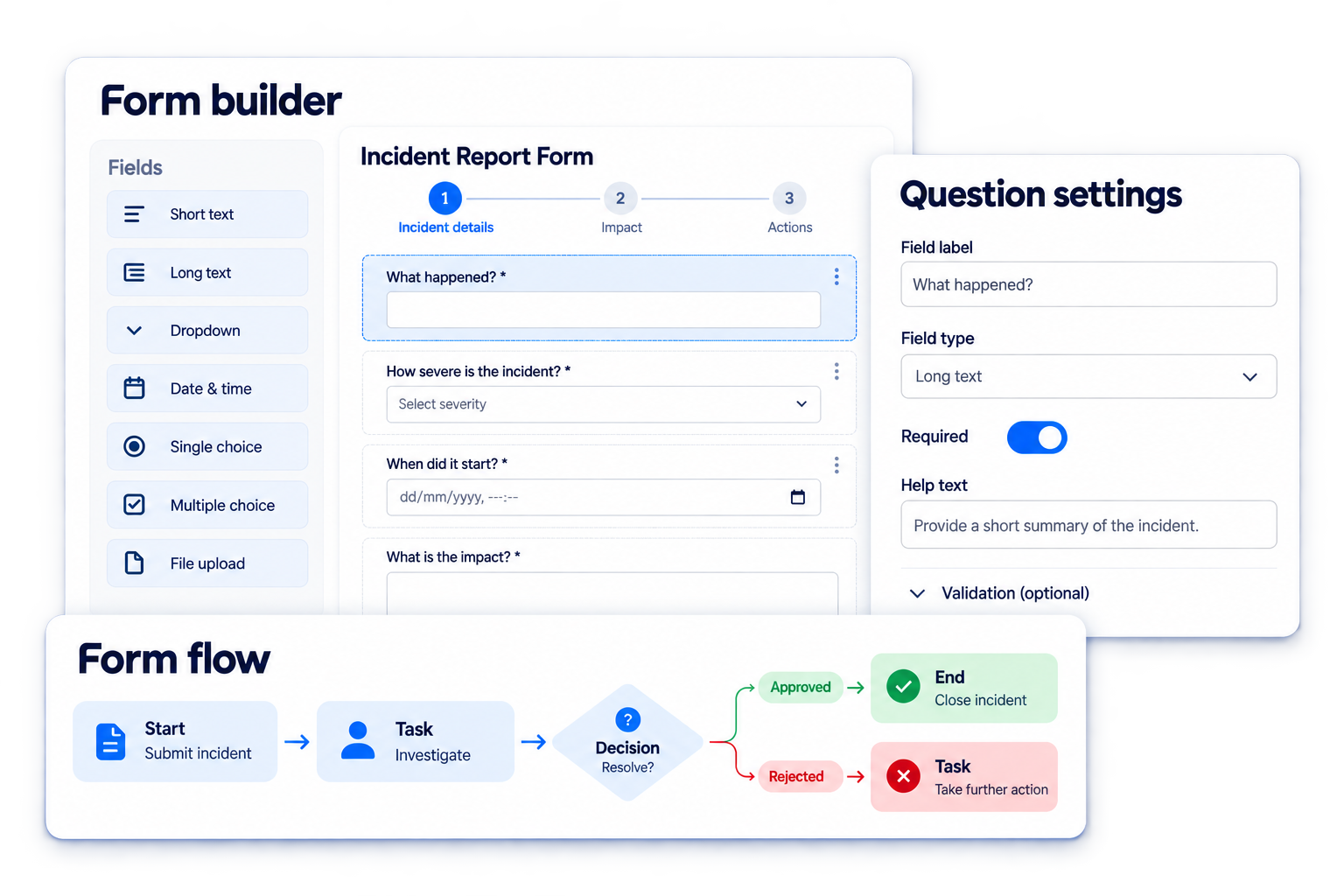
Build forms around the information you need

Configure questions, help content and pages so people can submit consistent information and attachments without accessing the underlying register. Incident reports, requests and reviews are practical examples.

  • Arrange fields in the form builder
  • Guide staff through multi-page submissions
  • Preview and publish your form
Simplified illustrative build a guided submission workflow with fictional sample data

Feature 2

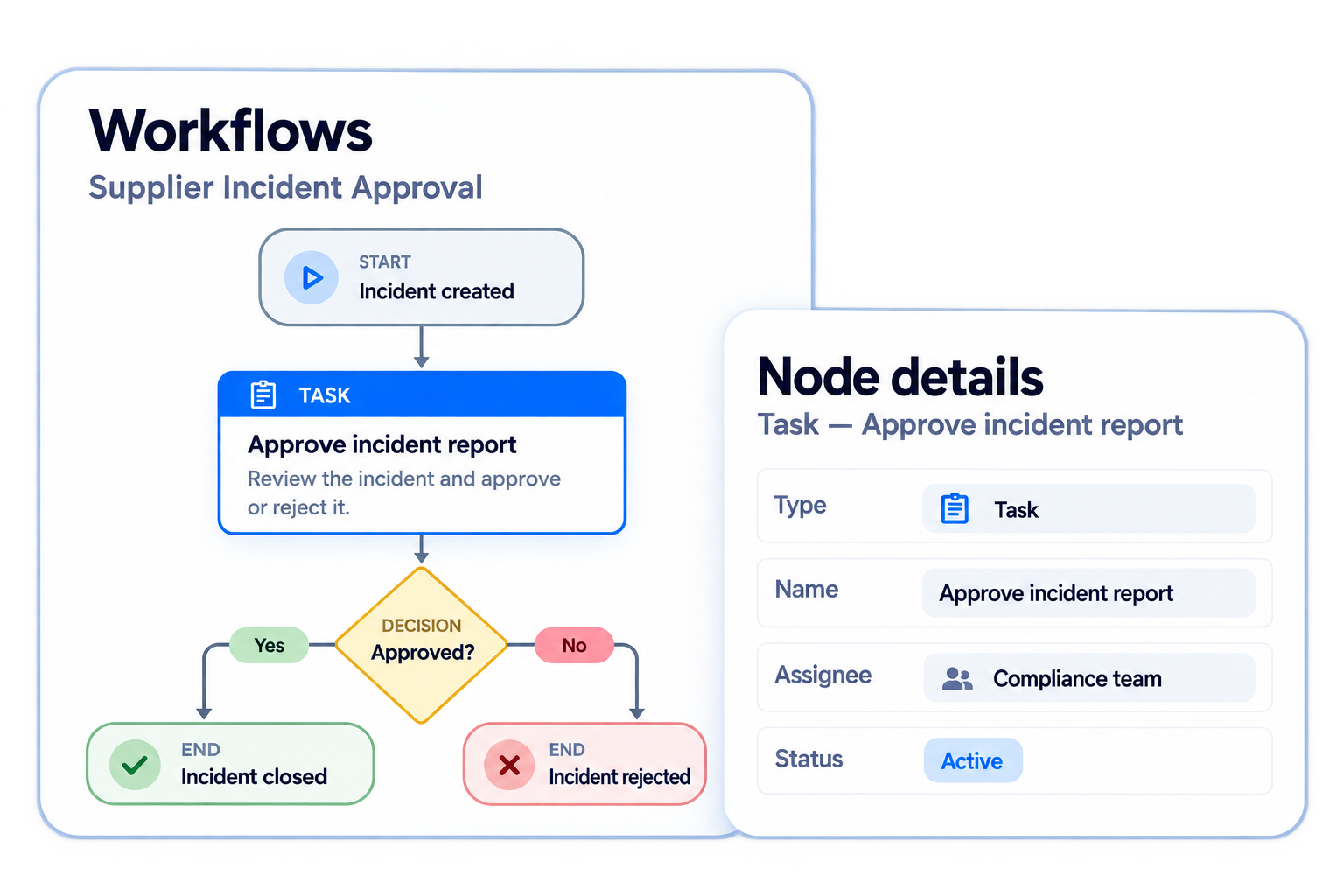
Give every submission a clear next step

Connect record events to tasks, decisions and outcomes. Give each step an assignee and instructions, with routes for approval, further action or a request for more information.

  • Configure record-event triggers
  • Assign tasks with clear instructions
  • Define decision and outcome routes
Simplified illustrative workflows workflow with fictional sample data

Feature 3

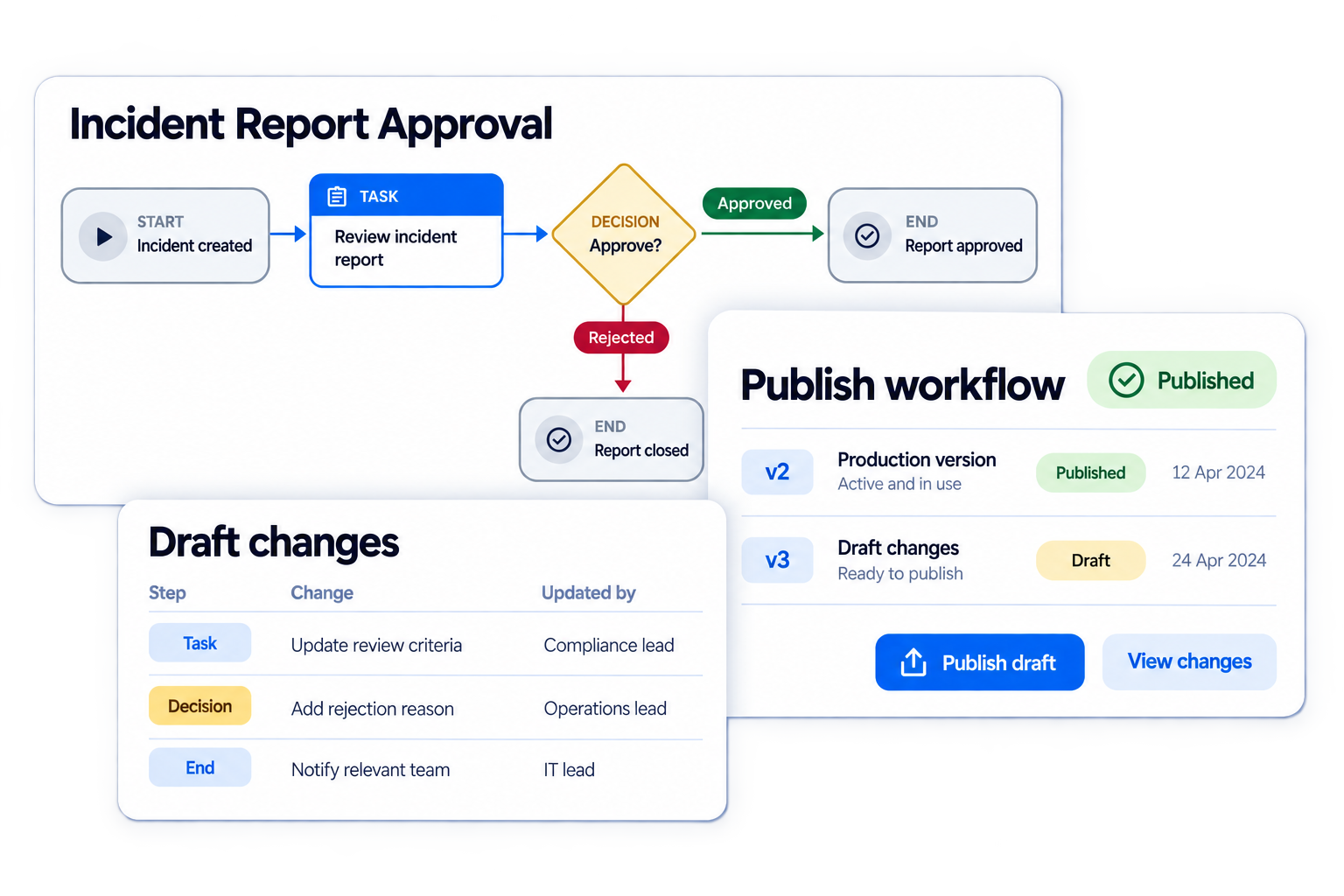
Refine the process as your needs change

Review workflow changes in a draft before publishing them. Existing executions stay on their original version, so you can improve the process while keeping active work consistent.

  • Maintain draft and published versions
  • Review routes and assignees before publication
  • Preserve the version used by active workflows
Simplified illustrative publish without disrupting active work workflow with fictional sample data

What is included

One product, connected to the wider platform

Use the product you need now while keeping its records, work and evidence ready for related products across Apollo.

Included features

  • Drag-and-drop form builder
  • Questions, pages and attachments
  • Record-event triggers
  • Assigned tasks and instructions
  • Decision and outcome routes
  • Draft and published versions

Questions and answers

Questions about Forms and Workflows

Practical answers to common questions about managing this responsibility well.

What is the difference between a form and a workflow?

A form collects structured information; a workflow defines what happens next. Connecting them turns a submission into assigned tasks, decisions and a recorded outcome rather than leaving someone to coordinate the response manually.

What should a business form include?

Include the information needed to understand the submission and decide the next step. Use clear questions, helpful instructions and relevant attachments, and avoid asking for information that has no purpose in the process. An incident report, request or review form should collect the details its process needs.

How should a workflow handle decisions and missing information?

Give each decision a clear owner and an explicit route for each outcome. Include a way to request more information, so an incomplete submission can return for clarification instead of becoming an unresolved task.

Who should own a form and its workflow?

The process owner should be responsible for the questions, routing and intended outcome. Individual tasks also need named assignees and clear instructions, so responsibility remains visible as work moves between people.

How should changes to an active workflow be managed?

Review changes in a draft and check the tasks, assignees and decision routes before publishing. Keep a record of which version each execution uses. Apollo keeps existing executions on their original version when a revised workflow is published.

See Forms and Workflows in Apollo

Book a focused demonstration and we will show how the product fits your current responsibilities, existing information and next practical priorities.